
Privacy: Read, Mask, Not stored
Paper forms often carry more than you need: a name, a phone number, an ID number. Bacaform lets you decide, question by question, what is kept and who gets to see it.
Three settings
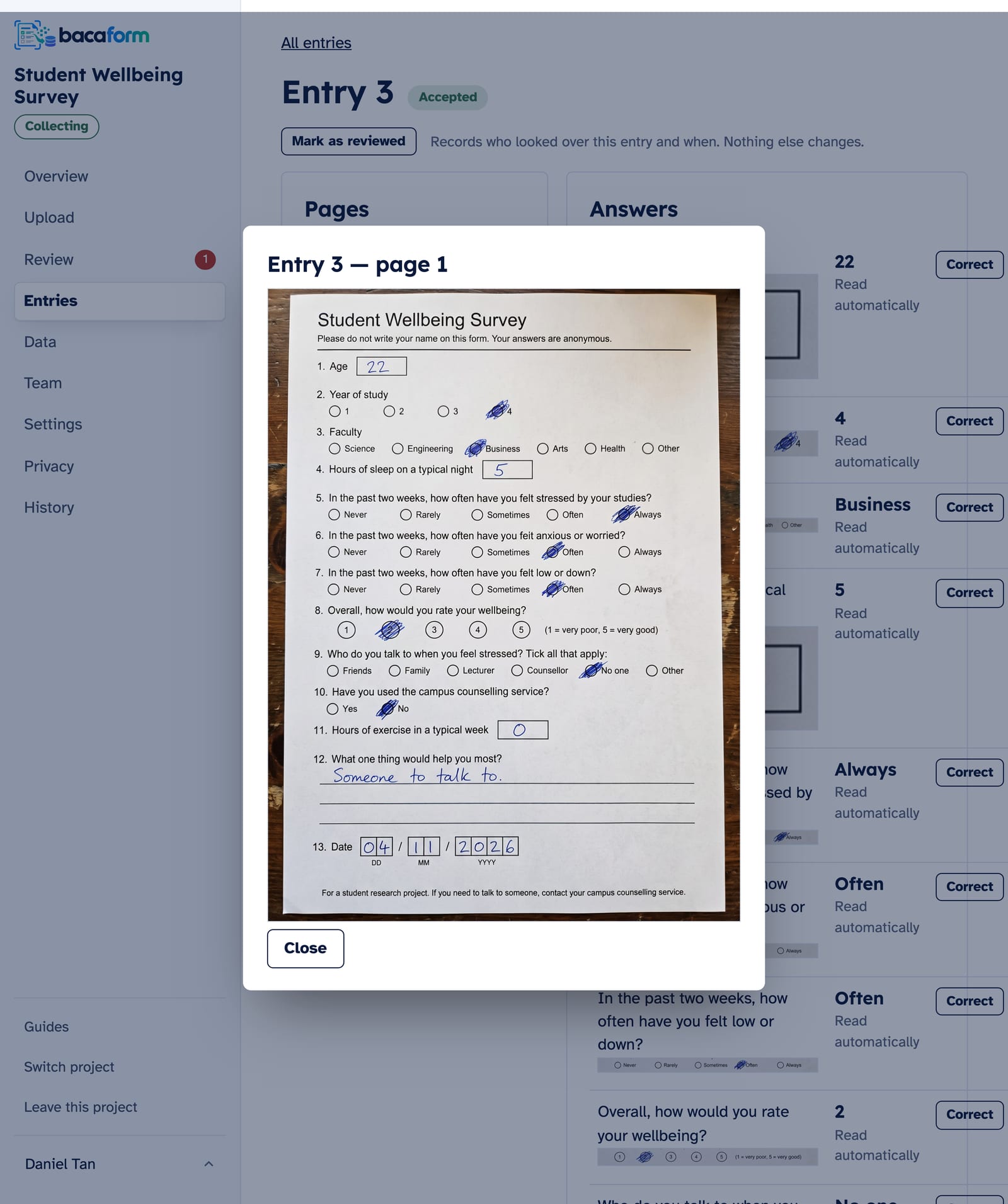
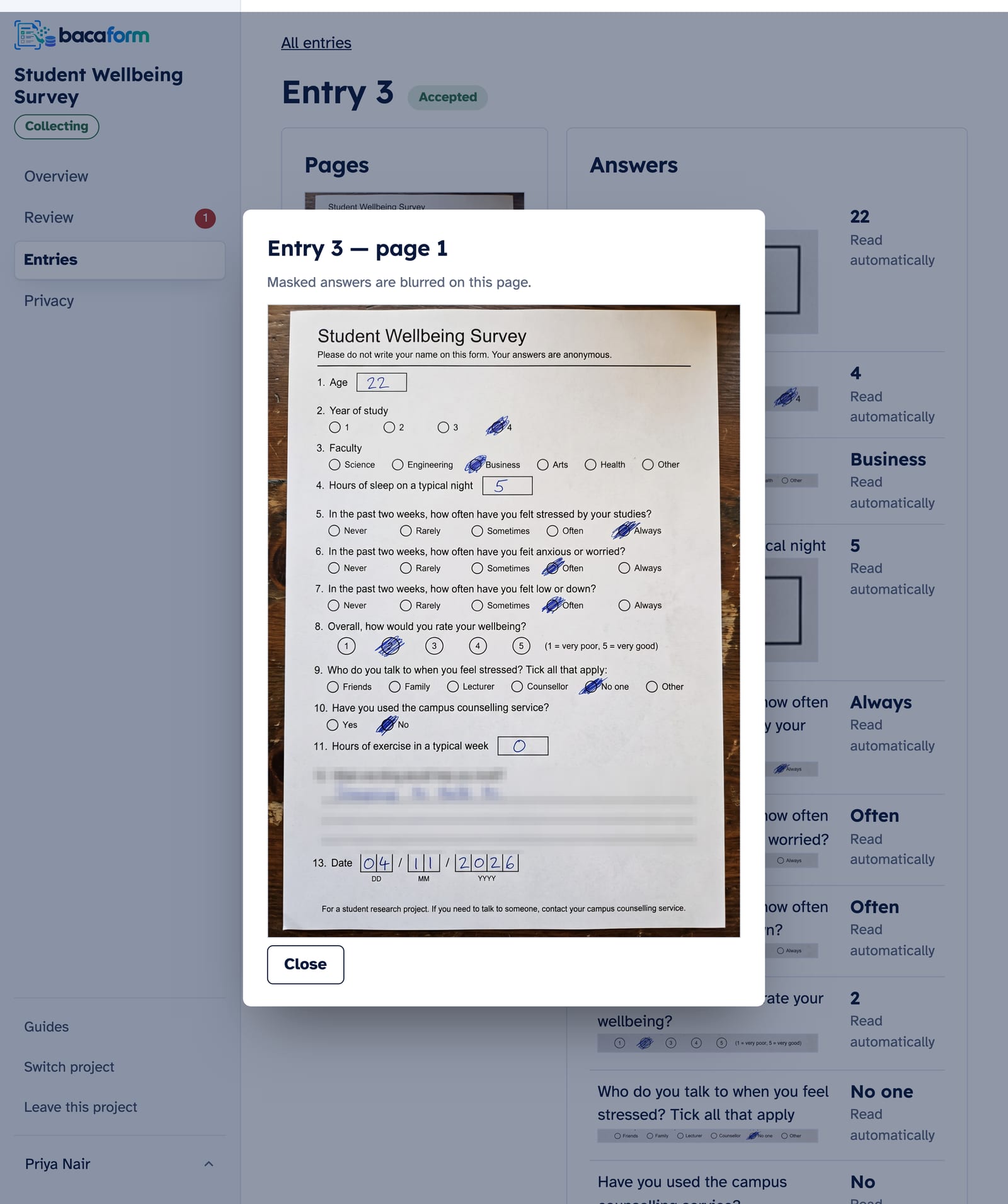
Every question on your form has one of these:
- Read. The answer is kept. The Owner, Managers and Reviewers can see it.
- Mask. The answer is kept, but only the Owner and Managers see it. Reviewers see •••• in its place, and that part of the page image is blurred for Reviewers and Uploaders.
- Not stored. The answer is not kept, so it never reaches your spreadsheet. It can still be seen on the page image itself.
How to choose
Ask one question about each answer: do I need this in my spreadsheet?
- Yes, and my whole team may see it: Read.
- Yes, but only the people in charge should see it: Mask.
- No: Not stored.
One more point on Not stored: the handwriting is still there on the page image. If your helpers should not see it there either, choose Mask, which blurs that part of the page for them.
An example
A badminton club collects membership forms. The committee needs to know who signed up, but the volunteers helping with the forms don't.
| Question | Setting | Why |
|---|---|---|
| Name | Mask | The committee needs it. Volunteers don't. |
| Phone | Mask | The same. |
| ID number | Mask | Not needed by volunteers, and blurred on the page for them. |
| Preferred session | Read | Nothing personal about it. |
| Emergency contact's name | Not stored | Kept on the paper form only. |
Where to set it
You choose during set-up. In Review layout, click a box and look under Answer handling.
Bacaform starts names, ID numbers, phone numbers and email addresses on Not stored. If you want them in your data, change them to Read or Mask before you start collecting.
Changing your mind
Open Privacy in the project menu. The Questions table lists every question with its handling.
- A Manager can switch a question between Read and Mask at any time. The change covers every entry at once, including the ones already collected.
- Moving a question to or from Not stored changes what is collected, so it needs a new form version: open Settings and press Edit the form.
Entry numbers, signatures and the date filled in are always shown. They cannot be masked.
Working with masked answers
- Review. A masked answer that needs a second look goes to Manager review, where the Owner or a Manager settles it.
- Download. Masked answers are left out of a download unless you tick Include masked answers.
- A record. Open History and choose Access log to see who downloaded the data, who changed what is masked, and who opened an entry with a masked answer.
When the project is finished
The Owner can delete the whole project from Settings.