
Scan a pile of paper forms into one spreadsheet
One PDF can hold a whole pile of forms. Bacaform cuts the PDF into its separate forms.
Start freeWhat the video says
Have a pile of paper forms to type into Excel?
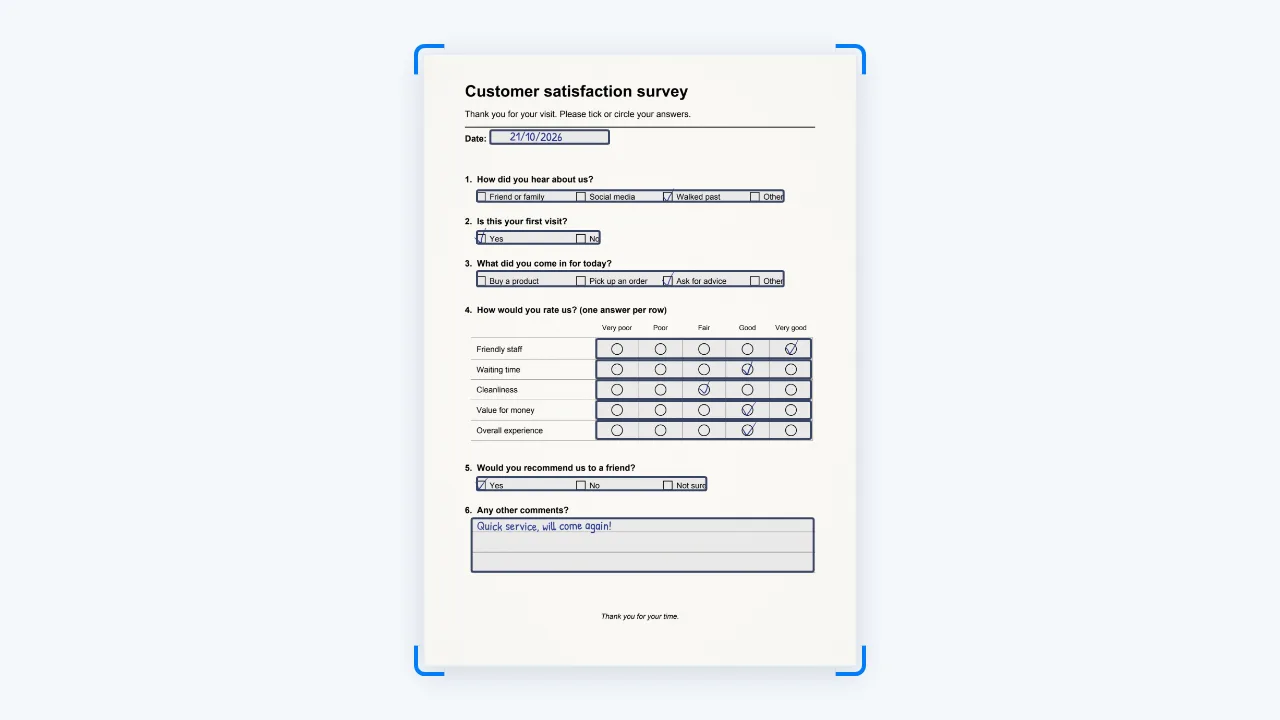
Upload two or three filled-in examples of your form. Bacaform finds the questions, and you check them once.
Then upload scans or phone photos as the forms come in.
Bacaform reads every answer, handwriting included. Any answer it is unsure of is marked for someone in your team to check.
Each form becomes one row of data.
Download the data as Excel or CSV, with a guide to every column.
Try it with your own form, at bacaform.com.
Scan the whole pile at once
If Bacaform cuts at the wrong page, you can fix where each form starts.
PDF, JPG, PNG and HEIC, from a scanner or a phone camera. A PDF can be up to 50 MB and 200 pages; a photo up to 20 MB. An upload can hold up to 400 pages.
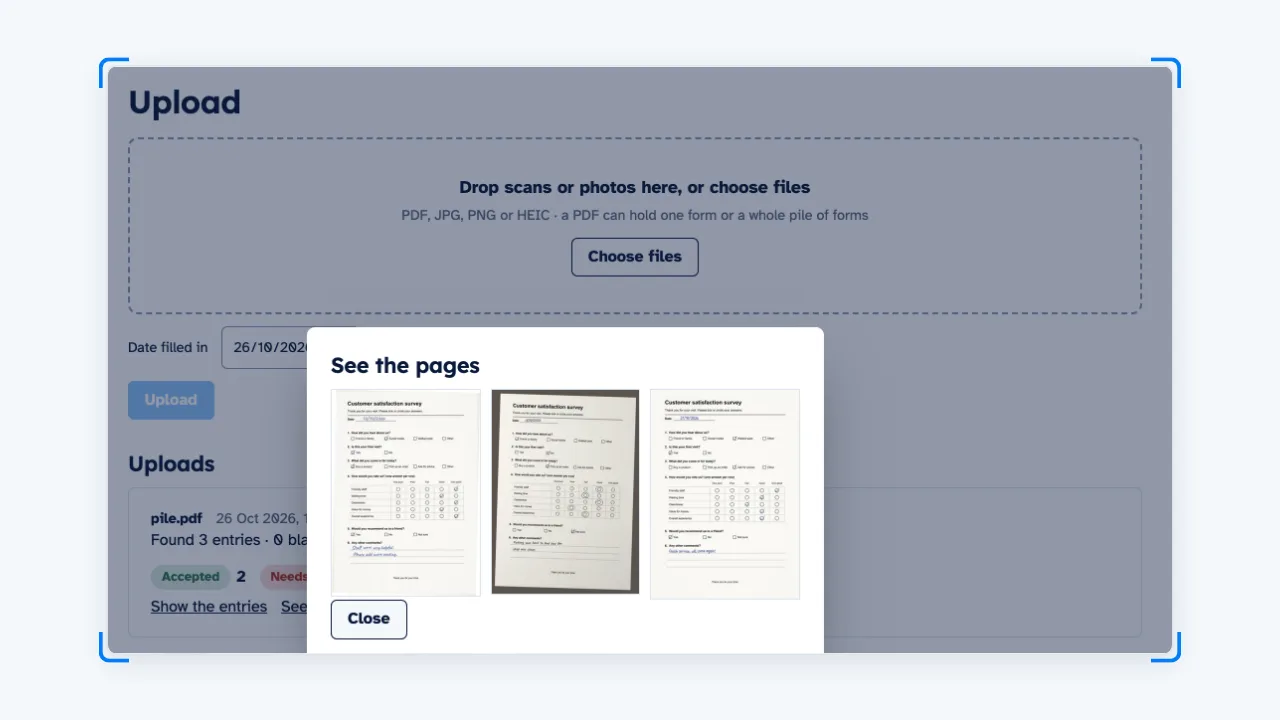
Forms with several pages stay together
The pages of one form stay together as one row of data, even when photos uploaded together are in the wrong order. A form with a missing page is marked.

Set up from your own form
Upload 2 or 3 filled-in examples of your form. Bacaform finds the questions, and you check them once.
- Applications and consent forms
- Checklists and inspections
- Registration and membership forms
Keep adding as the forms come in
Upload scans or phone photos as the forms come in.
Invite people by email and give each one a role: Owner, Manager, Reviewer or Uploader. An Uploader sees only their own uploads, not the answers.
Bacaform reads every answer. Any answer it is unsure of is marked for someone in your team to review.

One spreadsheet at the end
Download the data as an Excel file or a CSV. A second sheet, Column guide, says what each column holds and what each number means.

Your data
- Page images hold no location or camera details.
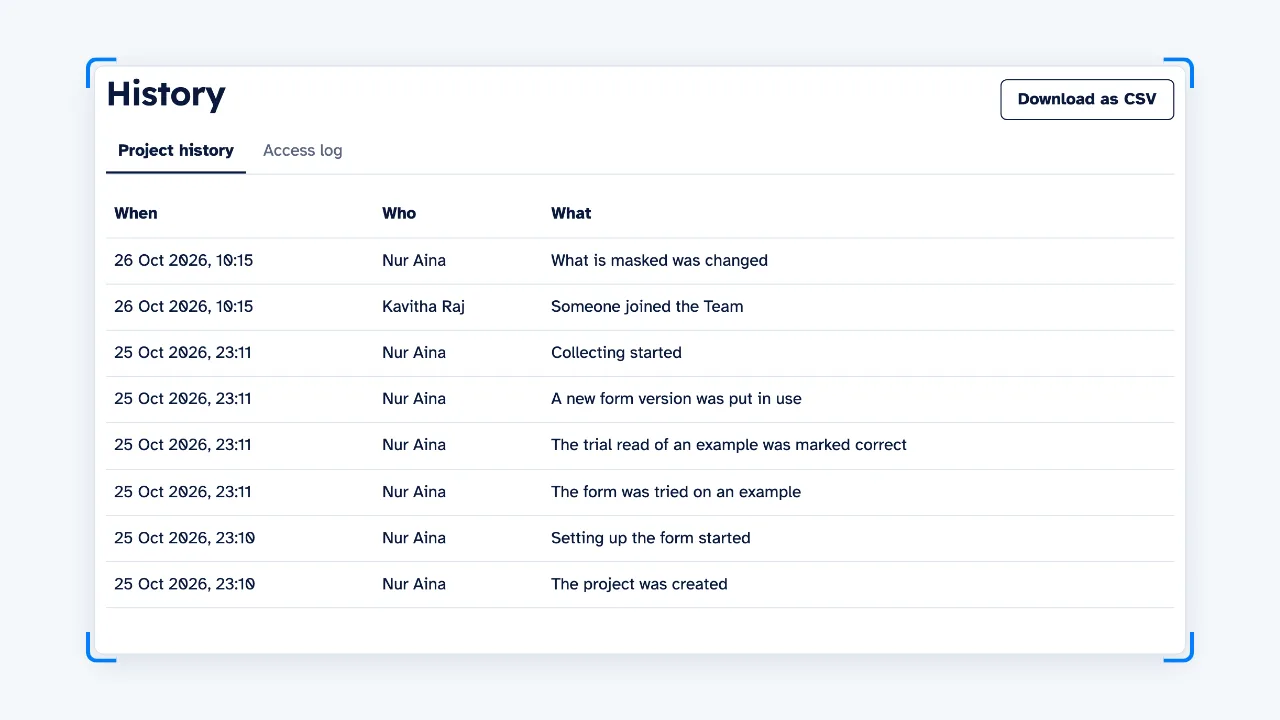
- Bacaform keeps a record of who did what, and when.
- You can delete a project at any time: at once, or later with time to cancel.
Questions
Can I scan a whole pile of forms into one PDF?
Yes. Bacaform cuts the PDF into its separate forms. If it cuts at the wrong page, you can fix where each form starts.
What files can I upload?
PDF, JPG, PNG and HEIC, from a scanner or a phone camera. A PDF can be up to 50 MB and 200 pages; a photo up to 20 MB. An upload can hold up to 400 pages.
Are blank pages counted?
A new account gets 20 free pages. After that, you buy a pack of pages; see the Pricing page. Blank pages and pages of other forms are not counted.
How do I get the data into Excel?
Download an Excel file or a CSV. The Excel file has two sheets: Data, with one row per form, and Column guide, which lists every column with its question, the answers it can hold (for example 1 = Yes, 0 = No) and how any total is worked out. The CSV download is a zip file holding the same two parts as two CSV files.