
Paper forms still work. It's the data entry afterwards that doesn't.
Clipboards, pens and photocopied surveys never really went away. At seminars, cafés, workshops and school halls, paper is still the quickest way to get answers from people. The hard part comes later, when everyone has gone home.

Paper is everywhere, if you look

Walk into almost any place where people gather, and somewhere there's a stack of forms.
It's in the final-year student's bag, a hundred surveys for a research project, photocopied the night before. It's on the trainer's table at the end of a seminar, where a pile of feedback forms waits while everyone hunts for car keys. It's tucked into the bill folder at the café down the road: How was your coffee today?
It's on the folding table at the insurance roadshow, where people stop for a free drink and leave their name and phone number behind. It's at the book launch, where the card machine has given up again and orders go onto a printed sheet instead. It's on the clipboard of the mechanic walking round your car, ticking off brakes, tyres and wipers. It's in two hundred schoolbags on the way home, consent forms for sports day that the school office is quietly hoping will come back signed.
Then there are the tuition centre's enrolment forms, the sign-up sheet at the charity run, the visitor book at the little gallery that's open on weekends. None of these people are stuck in the past. They've simply found that paper does the job.
“Why not just use a QR code?”

Fair question. Print a QR code, stand it on the table, and ask everyone to fill in an online form on their phone. For some crowds, it works a treat.
But if you've tried it at a real event, you know how it goes. One person's phone is on 3 %. Another can't get the camera to read the code under the hall lights. The Wi-Fi comes and goes. An aunty politely says she'll pass. And a good number of people promise to “do it later”, which, as we all know, means never.
Now hand someone a sheet of paper and a pen. Nobody asks how it works. They fill it in right there, while the talk or the teh tarik is still fresh in their mind, and give it straight back to you. A hundred photocopies cost very little, need no signal, and work just as well for a twelve-year-old as for a grandfather.
Paper feels familiar, and it's fast to hand out. That's why it's still here.
The part nobody talks about: the stack
What the video says
Final-year project.
A hundred people to survey.
No pressure.
An online form?
Or good old paper?
Paper wins on the spot.
Hand it over, and it comes right back, filled in.
A week later… one very tall stack.
The old way?
One form at a time.
Every.
Single.
Answer.
Typed by hand.
Or…
Snap a photo with your phone, or feed them through a scanner.
Either works.
First, show Bacaform two or three filled-in forms.
It works out the questions; you just give them a once-over.
Then drop in the whole pile.
Bacaform reads every answer, handwriting and all.
Not sure about an answer?
It puts up a flag, and you make the call.
Every form becomes one neat row.
Excel or CSV, take your pick.
Bacaform.
Try it with your own form, at bacaform.com.

The trouble starts after everyone has gone home. Collecting forms is easy. Now what do you do with 120 of them?
Somebody has to sit down, usually after dinner, with the stack on one side and an empty spreadsheet on the other, and enter every answer by hand, one cell at a time. Form 1, question 1. Form 1, question 2. By form 30 your eyes are tired. By form 60 you're squinting at a circle and wondering whether it was meant for the 3 or the 4. Then come the totals, the percentages and the chart for the report.
And the paper itself has to live somewhere: a box under the desk, a cupboard in the office, a drawer you hope you'll never have to dig through.
This is the real reason people give up on paper forms. It isn't the forms. It's the hours of data entry, checking and storing that follow them.
Keep the paper. Lose the late nights.
This is the moment Bacaform was built for: the event is over, the forms are back, and the spreadsheet is still empty.
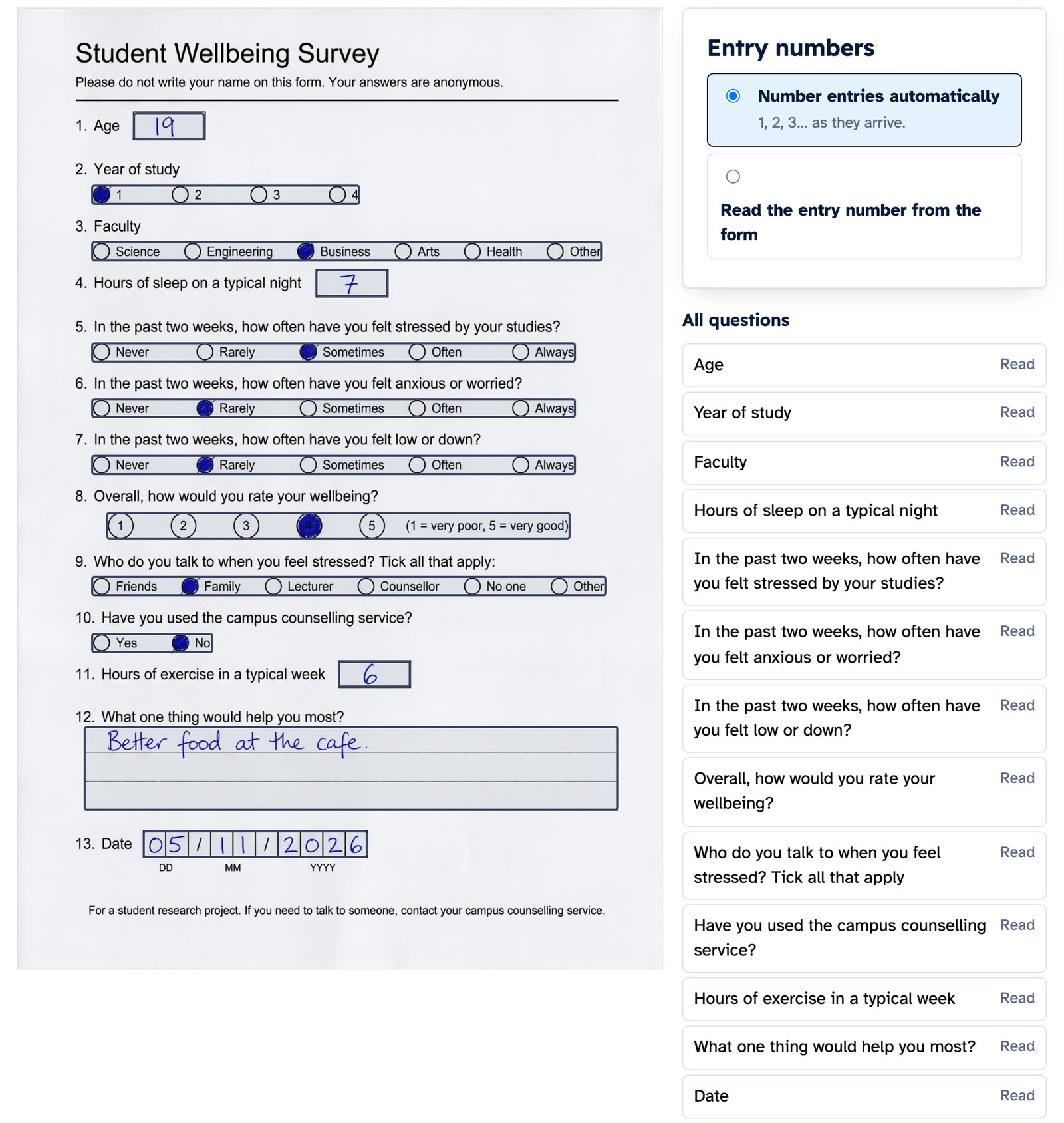
Think of it as handing your stack to a very patient assistant who only needs to be shown the ropes once. Pull out two or three forms that people have already filled in, and let Bacaform study them. It works out where each question sits and what kind of answer belongs there: a tick, a number, a date, a line of handwriting. Then it lays it all out for you to look over. You check it once, put right anything it missed, and that's the set-up done. It's the same form you photocopied last week. Nothing to redesign, nothing to reprint.
Now the pile. Hold your phone over each form and take a photo. Or, if the office has a scanner, run the whole stack through in one go and upload it as a single PDF. Bacaform works out where one form ends and the next begins, keeps two-page forms together, and gets on with reading: the ticks and crosses, the circled 4s, the underlined “Sometimes”, the marks in a grid, and the words, numbers and dates people wrote in their own hand.
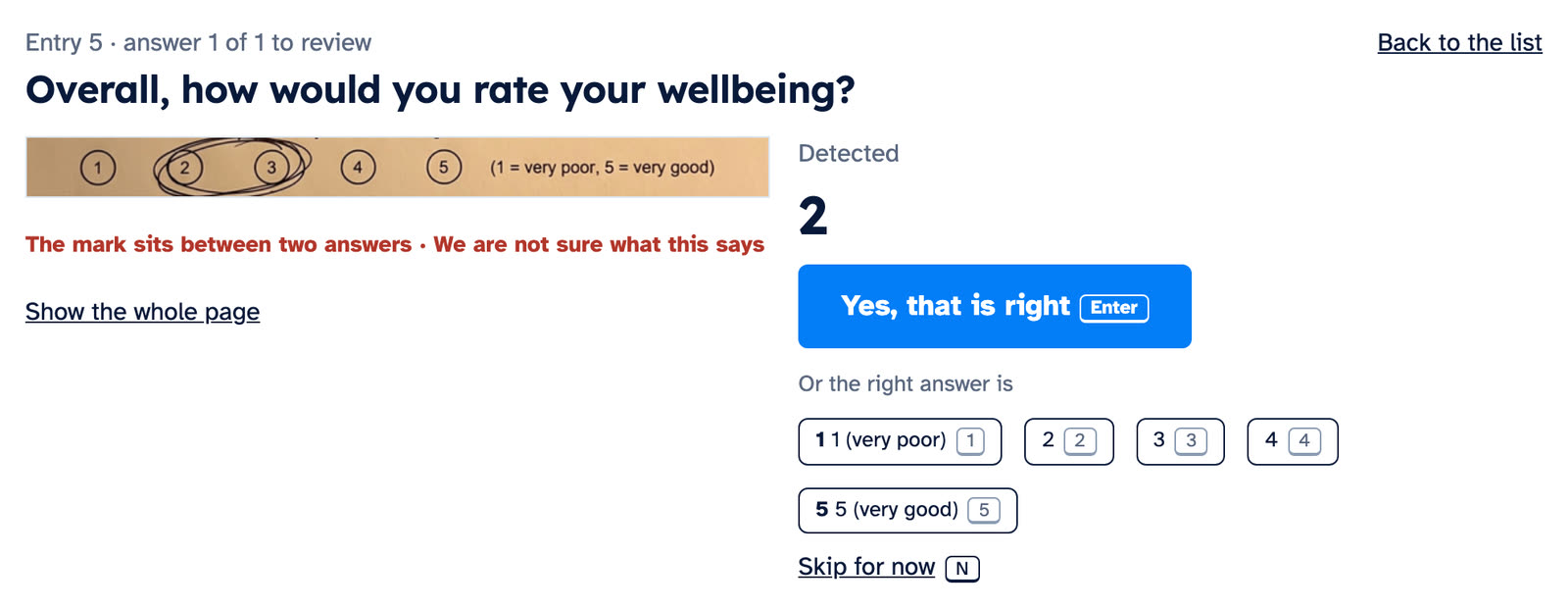
Not every mark is tidy. Someone circles two numbers, or their 1 looks a lot like a 7. When a mark leaves it unsure, Bacaform raises its hand. That answer is set aside for someone in your team, right beside a picture of what was actually written. One look, a decision, and on to the next.
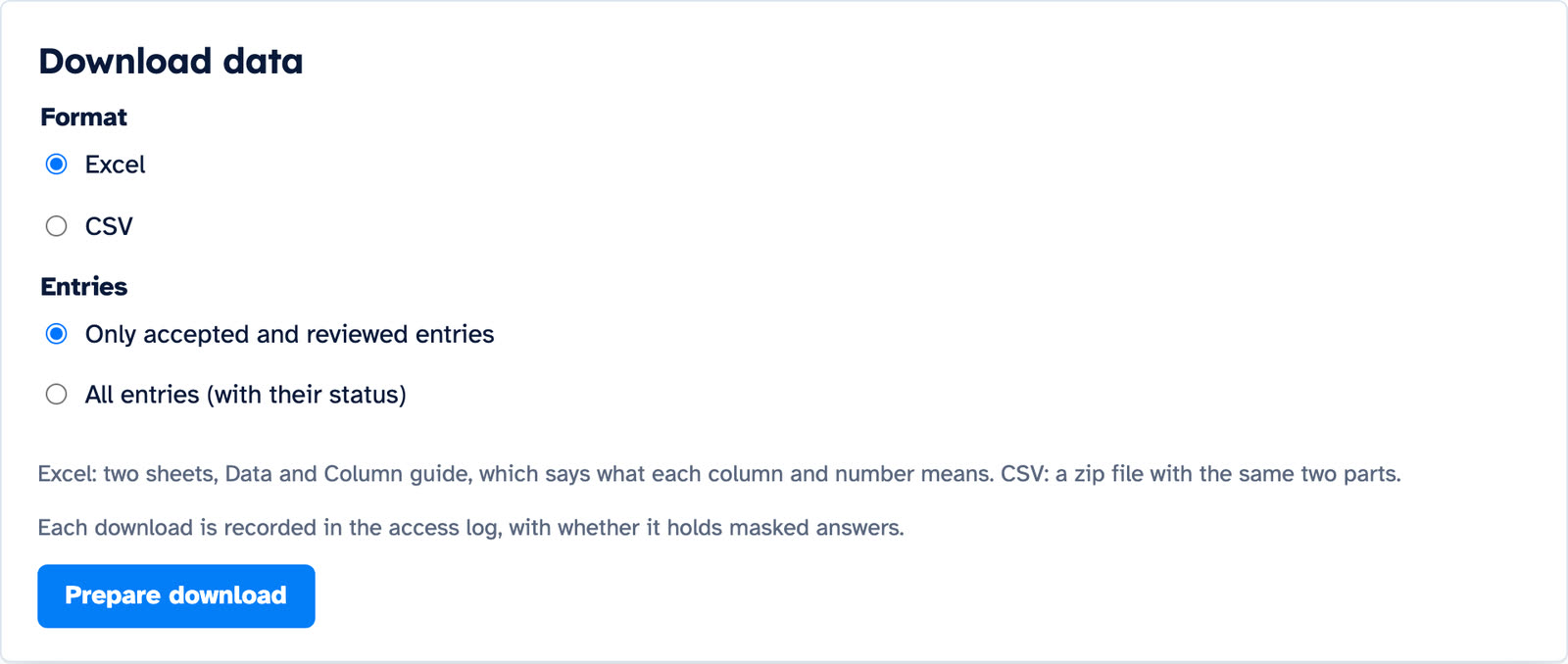
What comes out at the other end is the thing you used to spend your evenings building: a spreadsheet with one row for every form, as an Excel file or a CSV. A second sheet, the Column guide, spells out what each column means. So “Q7 = 3” won't be a mystery six months from now, when you've forgotten how you coded it. And because a picture of every page stays with its row, the day someone asks what form 87 actually said, you can pull it up without hunting through a cardboard box.
Where it fits
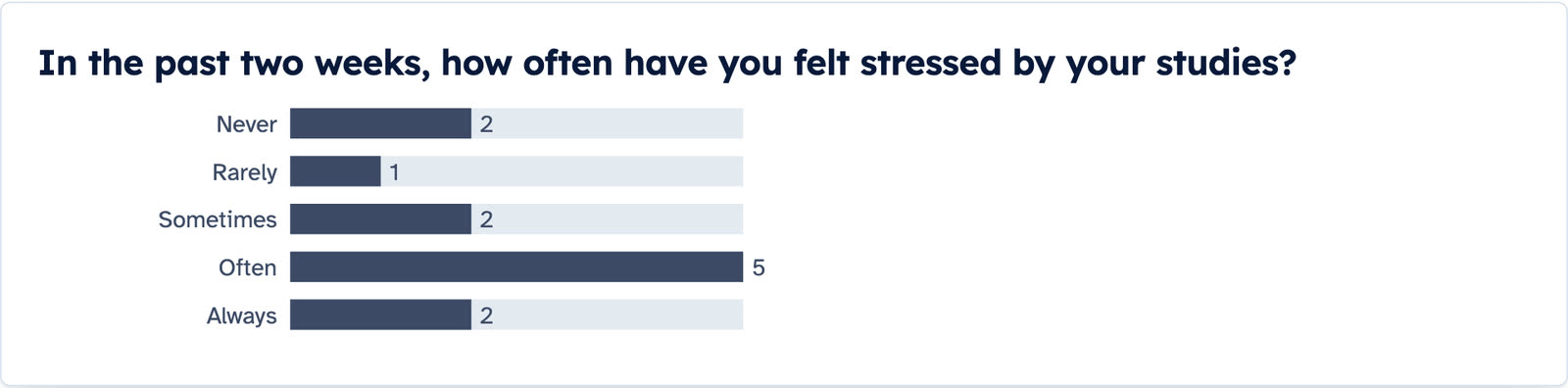
The student gets back the weekend. Instead of a fortnight of data entry, the survey arrives as one spreadsheet, and Bacaform draws a chart for every question before anything is exported.
The seminar organiser can finally answer “Was the morning session better than the afternoon?” If the form asks which session people attended, one group can be set against the other.
The café owner can photograph the week's comment cards on Sunday night, a few at a time, and watch the answers add up over the months.
The insurance agent and the school office handle forms full of names, phone numbers and signatures. Bacaform can hide the answers to a question, so only the project's Owner and Managers see them, or not keep those answers at all. It also notes whether each form was signed.
The author at the book launch ends up with every handwritten order on one tidy list, not on a crumpled sheet in a tote bag.
The workshop turns a season of service checklists into one table: which car, which checks, which boxes were ticked.
Try it on your own pile

A new account gets 20 free pages and 10 free set-up pages. That's enough to set up your own form and watch your own answers come back as rows. After that, page packs start at RM 10.
Take a few of the forms you already have, the ones sitting in that box under the desk, and see what happens to them.
Read next: How accurate is Bacaform? We counted every answer.
The student and his scenes were made with AI. The Bacaform screens are real.