
Upload scans or phone photos
Once your project is Collecting, this is the page you will use most. Send three forms or three hundred. The steps are the same.
From a scanner
Scan your forms to PDF and drop the file onto the Upload page, or press Choose files. You are never asked how many forms a file holds. Bacaform works out where one form ends and the next begins.
From a phone
Open the project on your phone, tap Upload, then Take a photo. Each photo joins a row on the screen, so you can photograph a handful of forms before sending them.
Bacaform looks at every photo as you take it. “Looks good.” means carry on. If a photo is too dark or too blurry, it tells you, and Retake gives you another go.
Three habits make phone photos work well:
Lay the form flat
Keep the whole page inside the frame
Stand so that your hand and phone don't throw a shadow on it
If your form has several pages, photograph each page and send them in the same upload. Bacaform puts the pages of each form back together.
Send
Date filled in starts on today's date. Change it if these forms were completed on another day. Then press Upload. Each file shows Received once it has arrived, and the reading begins. From that point you can close the page or get on with something else.
See what came out
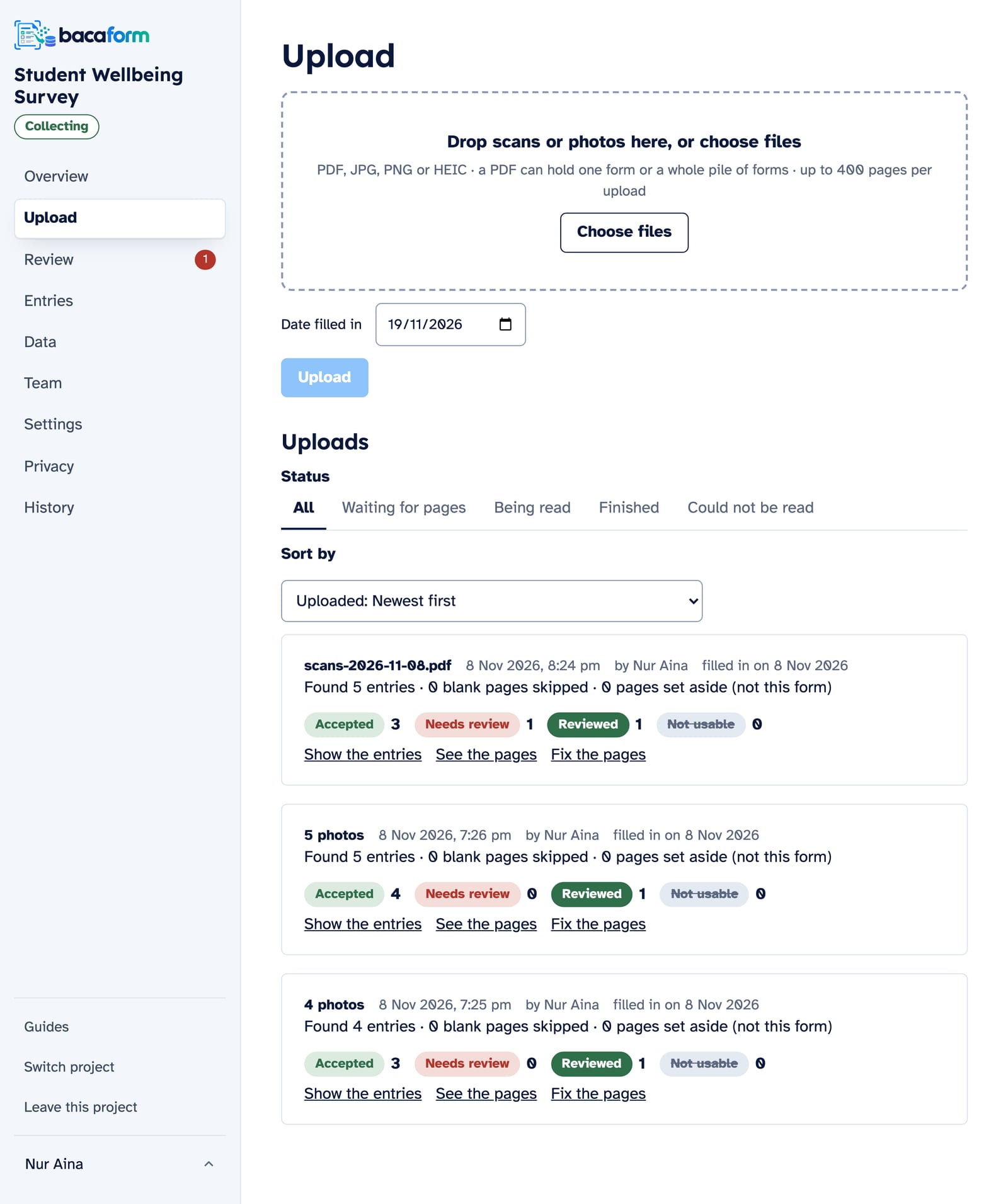
When the reading is finished, the upload gets a line such as “Found 37 entries · 2 blank pages skipped · 1 page set aside (not this form)”. Blank backs and stray sheets are taken out for you. Show the entries lists every entry with its status, and See the pages shows the page images.
When an entry is Not usable
Now and then a page is too faint to read, or a form arrives with a page missing. That entry is marked Not usable, with the reason next to it and a button to put it right: Upload a better copy or Add the missing page. You redo that one form, not the whole upload.
If a pile was divided at the wrong page, an Owner or Manager can correct it with Fix the pages.
Let someone else do the uploading
The person who collects the forms doesn't have to be the person who looks at the data. Invite them to your Team as an Uploader. They can send forms and see their own uploads, and nothing more.
Sizes
- One PDF: up to 200 pages and 50 MB.
- One photo: up to 20 MB.
- One upload: up to 400 pages.
For a bigger pile, split the scan into smaller PDFs.